Tracker, Draft Assistant, decks and statistics for MTG Arena.

During a match it counts the cards left in your deck. In Draft it ranks every pack and suggests your final deck. Afterwards it keeps your decks and their statistics. On the web you'll find the Meta, Draft data and your account.

Windows · Public beta · Download from GitHub

The MOX home screen: MTG Arena status, collection, latest Draft, resources and the list of the three tools.
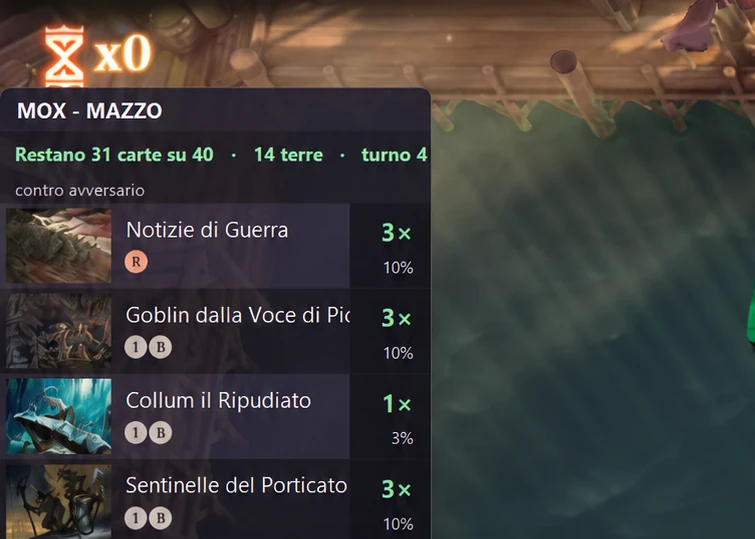
  • The in-game counter over Arena: 31 of 40 cards left, 14 lands, turn 4; for each card the copies left and the chance to draw it.

    In-game counter

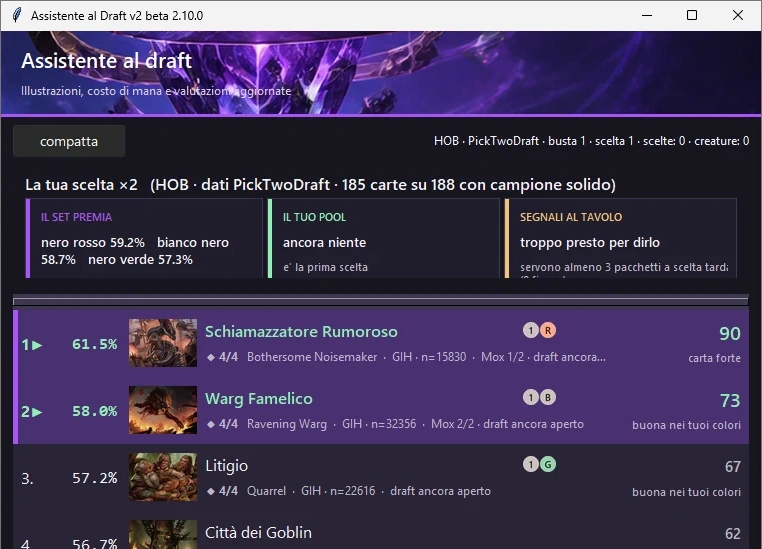
  • The Draft Assistant window: the pack ranked with win rate and a verdict for each card, the two suggested picks highlighted.

    Draft Assistant

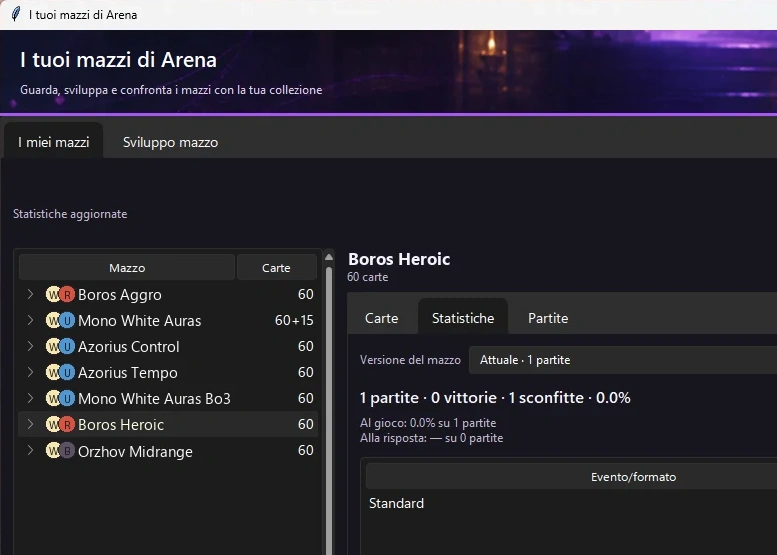
  • The Your Arena decks window: the deck list on the left and, in the Statistics tab, matches, wins and losses of the selected deck. Deck names are replaced with public archetype names.

    Your Arena decks

What MOX does

Four moments of an Arena session. Every image below is a screenshot of the app as it is today.

  1. During the match

    In-game counter

    It opens over Arena and keeps count of the cards left in your deck: how many copies, how many lands, how likely you are to draw each one. A second panel lists the cards your opponent has already revealed.

    It does not tell you what to play: it keeps count for you.

    An MTG Arena match with the MOX deck panel on the left: 32 of 40 cards left, 14 lands, turn 2. The MOX opponent panel: revealed cards only, here a Forest.
    Real screenshot. On the left your deck panel; in the inset, your opponent's.
  2. During the Draft

    Draft Assistant

    Open it before you join the Draft. For every pack it ranks the cards, with the win rate from 17Lands data and a plain verdict: strong card, good in your colours, filler.

    A Draft on Arena with the Draft Assistant window on the right: the pack ranked, the two suggested picks highlighted.
    Real screenshot. On the left the pack in Arena, on the right the same pack ranked by MOX.
  3. After the Draft

    Draft Assistant

    When the Draft ends it suggests the deck to build from your pool: the main colours, three combinations side by side and how many lands to play, from 16 to 18.

    Draft finished: MOX suggests a 40-card black-red deck, with two alternatives and the number of lands.
    Real screenshot. The deck suggested at the end of the Draft, card by card.
  4. After your matches

    Your Arena decks

    Your decks stay on your PC, with statistics for every version: matches, wins, on the play and on the draw, format by format. You compare them with your collection, copy them to the clipboard or save them to a file to share with a friend.

    The Your Arena decks window: the deck list on the left, the statistics of the chosen deck on the right. Deck names are replaced with public archetype names.
    Real screenshot; deck names are replaced with public archetype names. The deck list and the statistics of the selected one.

MOX on the web

The site shows the data that can be published and, if you sign in, your personal archive. It works even with the app closed.

The Meta Explorer: filters for format, period, mode, rank, strategy and colours, and the archetype table with matches, win rate and meta share.
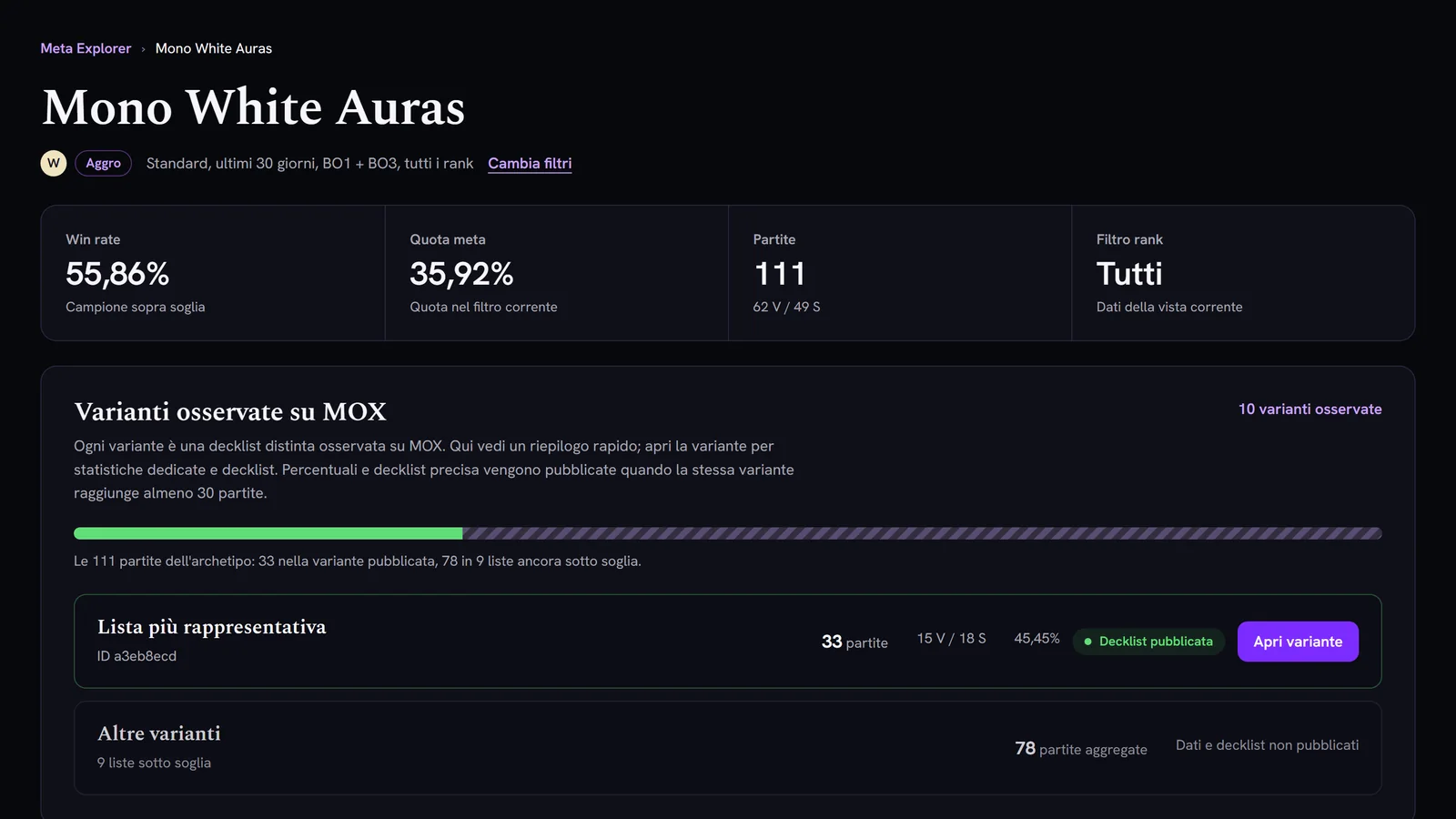
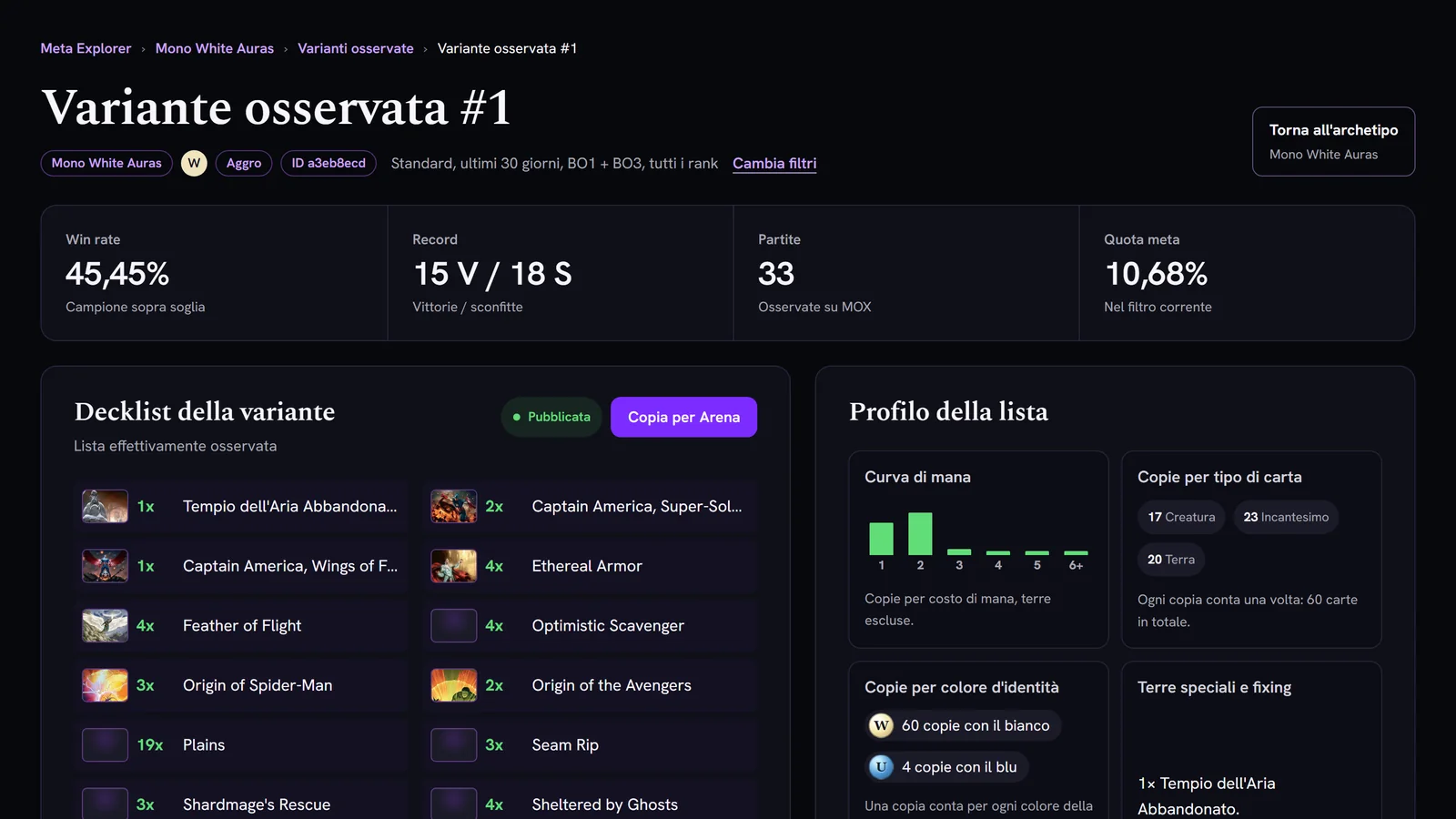
An archetype page: summary and variants observed on MOX, published and below threshold. A variant's detail: win rate, record, matches, meta share and the published decklist.

Site screenshots with public Meta data: from the Explorer to the archetype, from the archetype to its variants.

Meta

Filter archetypes by format, period, rank, colour and strategy. From each archetype open the variants observed on MOX and, once they pass the threshold, their decklist.

Explore the Meta
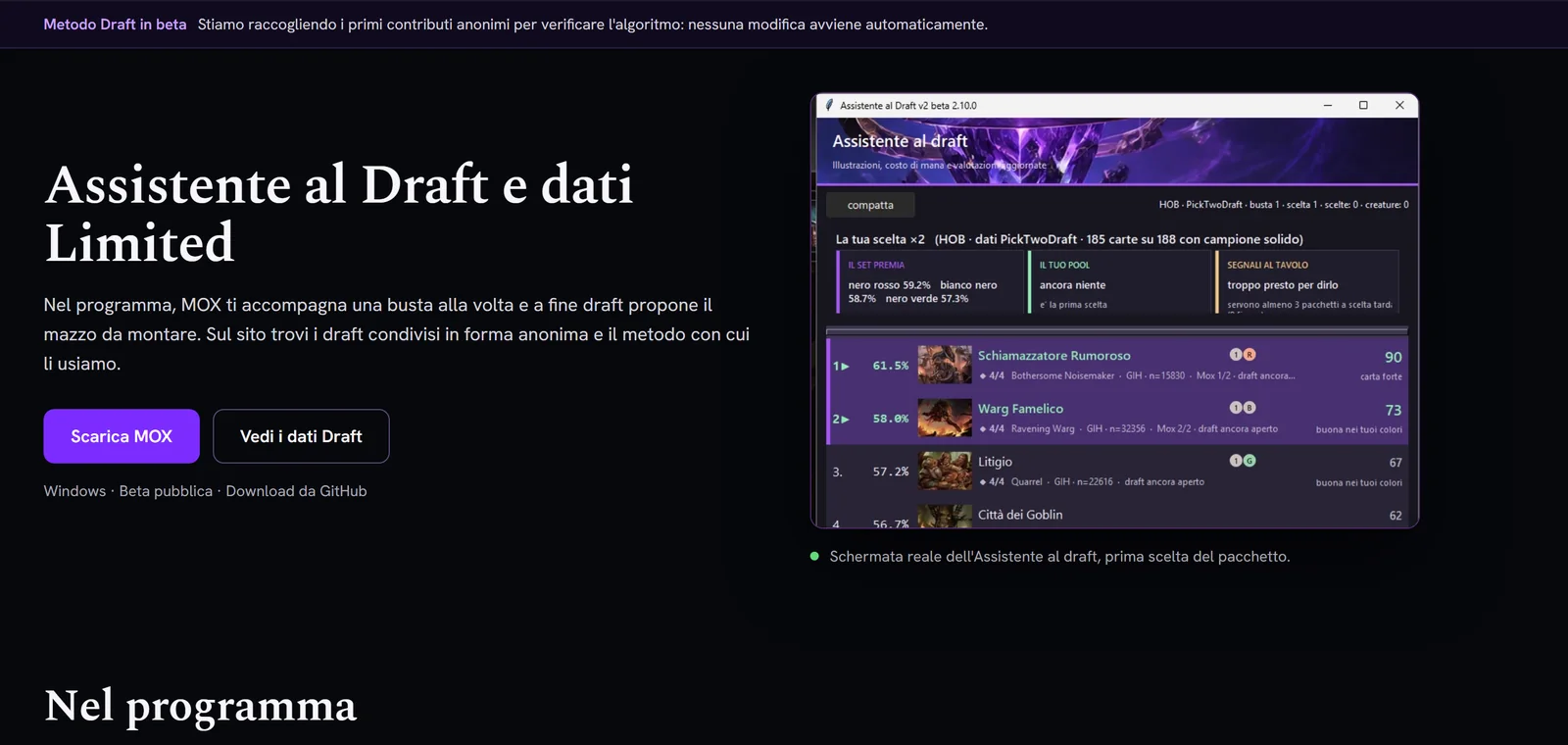
The Draft page: the Draft Assistant and Limited data, with a real screenshot of the MOX window.

Screenshot of the Draft page.

Draft

What the Draft Assistant does, the shared Drafts by set and event, and the method we use for the data.

Open Draft
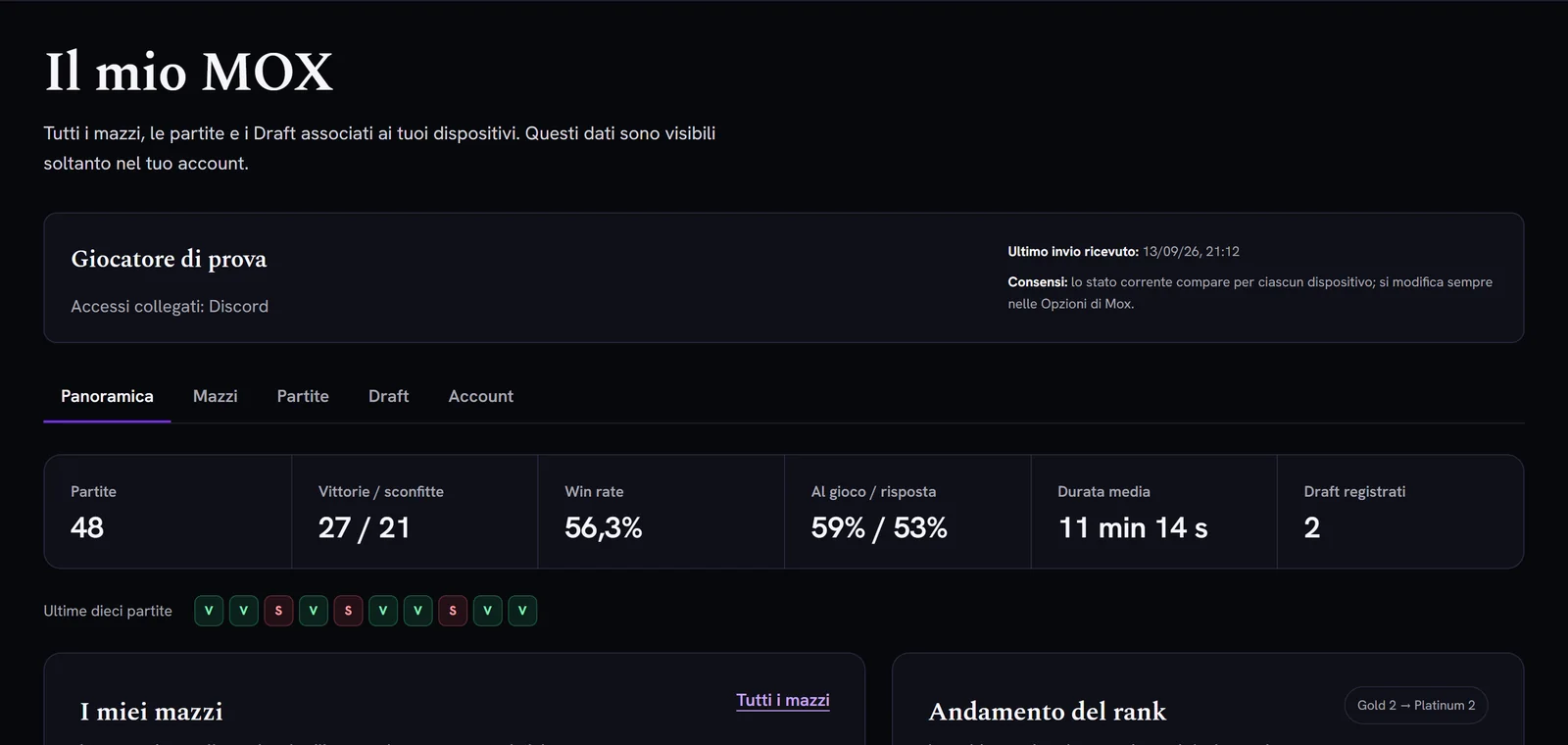
My MOX with sample data: Overview, Decks, Matches, Draft and Account tabs.

Sample data: your archive is visible only to you.

My MOX

Your decks, matches, Drafts and rank, visible only to you. From here you link MOX, export or delete your data.

Open My MOX

Research and upcoming work

Participation in MOX Research is already available in beta. Research analyses, results and suggestions are still in development and have no release date.

  • Available in beta · MOX Research participation

    You can choose to contribute from Settings. It is optional, off by default, and you can leave at any time.

  • In development · MOX Research analyses and suggestions

    We want to use match data to find interesting deck changes worth testing. MOX can suggest a hypothesis; real matches on Arena must confirm whether it actually works.

  • Draft Assistant Next Gen

    A clearer path from the pick to the pool to building the final deck.

  • New interface

    A new desktop experience: more modern, clearer and consistent with the rest of MOX.

Planned

Ideas lined up for later, without dates. They may change.

  • Collection and missing wildcards

    Which cards you are missing to complete a list, and how many wildcards you need.

  • “Can I build this deck?”

    A clear answer before you spend wildcards.

  • A fuller deck editor

    More tools to edit lists inside MOX.

  • Card search and deck building without Arena

    Search cards and build a deck even with Arena closed.

  • Deck sharing

    A controlled way to pass a list to friends.

Try MOX in your next match.

It is a Windows app in public beta. Download it from GitHub and open it next to Arena.